
Most businesses already use software to manage customers, payments, operations, and support. Yet employees still spend hours moving between those systems to complete a single business task.
Agentic AI as a Service (GaaS) introduces a different approach. Instead of only providing applications that employees operate, agentic systems can coordinate selected tasks, interact with connected tools, and execute approved actions.
But does that mean GaaS will replace Software as a Service (SaaS)? And when does introducing AI agents make more sense than improving existing applications or traditional automation?
This guide explains the differences between SaaS and GaaS, their architecture, pricing, practical applications, security challenges, and how businesses can choose the right model.
Quick Answer: What Is the Difference Between SaaS and GaaS?
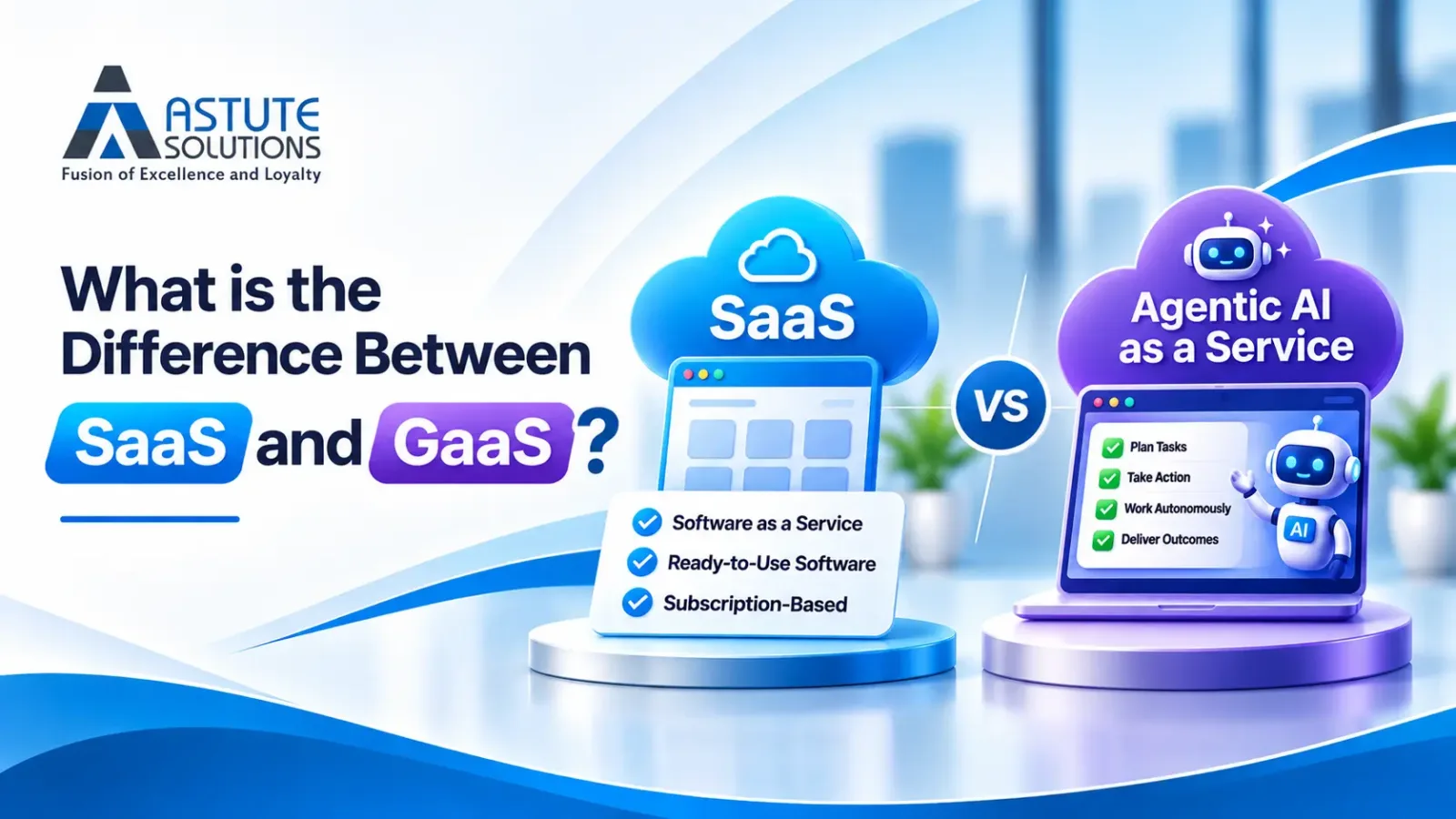
SaaS (Software as a Service) delivers cloud-hosted applications that users operate to complete business activities.
GaaS (Agentic AI as a Service) delivers managed AI agents capable of interpreting goals, using approved tools, and executing bounded, multi-step business workflows.
Example: A SaaS CRM allows a sales representative to update a lead. A GaaS workflow might research that lead, prepare a follow-up, update permitted CRM fields, and request approval before sending a message.
The core difference: SaaS provides application capabilities, while GaaS can coordinate and execute work using those capabilities.
Key Takeaways
- SaaS provides applications. GaaS coordinates selected work across applications.
- AI features do not automatically make software agentic. A chatbot that generates a response differs from an agent that executes approved actions.
- GaaS does not eliminate the need for SaaS. Agents still depend on reliable databases, applications, APIs, and business rules.
- Agentic AI can reduce manual work. However, inference costs, monitoring, retries, and human supervision must be considered.
- Autonomy introduces operational risks. Permissions, audit logs, approval workflows, and reliable recovery mechanisms are essential.
- The best approach depends on the workflow. Some processes need SaaS, others need conventional automation, and some benefit from agentic AI.
SaaS vs GaaS: Key Differences at a Glance
SaaS and GaaS are not necessarily competing delivery models. A SaaS application may include AI agents, and an agentic service may itself be delivered through a subscription-based cloud platform.
The meaningful difference is how the system participates in completing work.
| Comparison | SaaS | GaaS |
|---|---|---|
| Full Form | Software as a Service | Agentic AI as a Service |
| Primary Offering | Hosted software applications | Managed AI agents and workflows |
| Main Value | Enables users to perform tasks | Performs approved steps toward goals |
| User Interaction | Application interfaces and APIs | Goals, instructions, tools, and permissions |
| Execution | Manual or predefined workflows | Context-sensitive multi-step execution |
| Integrations | Connects systems and data | Coordinates approved actions across systems |
| Pricing | Subscription, per-seat, or usage | Subscription, usage, task, or outcome |
| Security Focus | Application security and data protection | Application security plus agent governance |
| Success Metrics | Adoption, uptime, productivity | Verified completion, accuracy, and cost |
| Best Fit | Structured business functions | Variable, bounded, multi-step workflows |
What Is SaaS (Software as a Service)?
Software as a Service is a cloud software delivery model in which customers access applications hosted and maintained by a software provider.
Instead of installing and maintaining every software component internally, businesses access applications through a browser, API, or connected service.
Common examples include CRM platforms, accounting software, project management tools, and customer support applications.
How SaaS Works
A SaaS provider manages the underlying application and infrastructure, while customers configure the software according to their business requirements.
For example, a CRM allows a sales team to store customer records, manage opportunities, track communication, and generate reports.
However, employees may still need to coordinate activities across multiple applications.
When SaaS Is the Better Choice
SaaS is particularly suitable when a business needs structured workflows, dependable records, predictable application behavior, and established software functionality.
For example, sending a subscription reminder exactly seven days before expiration can be handled by a conventional scheduled workflow.
That process does not require an AI agent.
Businesses with specialized operational requirements may also consider custom SaaS and software development to build applications around their workflows.
What Is GaaS (Agentic AI as a Service)?
Agentic AI as a Service provides access to managed AI agents that can pursue defined business objectives using approved applications, tools, and data sources.
Unlike a system that only generates text, an agentic system may interpret an objective, retrieve information, select an appropriate action, execute it, observe the result, and determine whether further steps are required.
For example, an agent could assist with investigating overdue invoices, checking relevant account records, preparing payment reminders, and escalating disputed cases for human review.
What Makes an AI System Agentic?
- Goal Interpretation: The system understands the requested outcome and its operating boundaries.
- Tool Access: The system interacts with approved APIs, databases, and applications.
- Multi-Step Execution: The system coordinates actions based on information and previous results.
- Feedback and State: The system tracks progress and evaluates tool responses.
- Controlled Completion: The system verifies the outcome, stops safely, or escalates when required.
Does Adding AI to SaaS Automatically Make It GaaS?
No. A software product can include AI-powered features without becoming an agentic service.
| System Type | Example | Agentic? |
|---|---|---|
| Traditional SaaS | A CRM stores customer information | Not necessarily |
| AI-Enabled SaaS | A CRM summarizes customer conversations | Not necessarily |
| Workflow Automation | A CRM sends a reminder using a fixed rule | Not necessarily |
| Agentic Workflow | An agent investigates a case, uses tools, and verifies actions | Potentially yes |
Real-World Example: SaaS vs GaaS in Customer Support
Consider a software company handling thousands of customer support requests every month.
Its support platform records tickets, stores customer information, and assigns requests to employees.
However, resolving some requests requires checking several different systems.
Scenario A: Traditional SaaS Workflow
A customer reports that their subscription upgrade has not appeared in their account.
A support employee opens the ticket, checks the billing platform, reviews subscription records, compares account details, and prepares a response.
The SaaS applications provide the required functionality, but the employee coordinates the investigation.
Scenario B: GaaS-Assisted Workflow
An agentic service connected to the existing systems could assist with the process within approved operational boundaries.
The agent should not automatically change a customer's subscription simply because it believes a correction is necessary.
When billing and subscription records conflict, the correct behavior may be to stop and escalate the case.
The Architectural Difference Between SaaS and GaaS
One of the most important engineering decisions is determining whether a workflow actually requires agentic reasoning.
Many business processes can be handled more reliably through conventional software.
Deterministic Software
Deterministic workflows follow predefined rules. Given the same inputs and conditions, the application is designed to perform the same sequence of actions.
Examples include scheduled reminders, fixed validation rules, and straightforward database updates.
Agentic Execution
Agentic workflows can select different actions depending on the available information, previous tool results, and the defined objective.
For example, an agent might investigate why a customer account is inactive by reviewing support history, product usage, and account records.
That flexibility can be valuable, but it also creates additional complexity in testing, permissions, monitoring, and error recovery.
| Business Requirement | Recommended Approach |
|---|---|
| Execute a fixed rule on a schedule | Conventional automation |
| Store structured business records | SaaS or custom software |
| Generate a customer response draft | Generative AI assistance |
| Interpret variable documents | AI-assisted processing |
| Coordinate changing tasks across systems | Controlled agentic workflow |
| Approve high-value transactions | Human approval and deterministic controls |
SaaS vs GaaS Pricing: Which Is More Cost-Effective?
SaaS products commonly use subscription, per-seat, or consumption-based pricing.
GaaS providers may charge for usage, executions, tasks, or completed outcomes.
However, pricing models overlap. A subscription-based product can include agents, and a conventional SaaS platform can charge based on usage.
The important question is not simply which service has a lower subscription price.
Businesses should compare the total cost of producing reliable, accepted results.
SaaS Cost Components
- Subscription and licensing fees
- Implementation and configuration
- Integration and maintenance
- Employee time operating applications
- Additional workflow tools
GaaS Cost Components
- Language model usage
- API and external tool calls
- Data retrieval and processing
- Orchestration infrastructure
- Human supervision
- Retries and failed executions
- Security monitoring
- Integration maintenance
Worked Example: 2,000 Monthly Support Requests
Imagine a business processing 2,000 support requests every month.
Each request requires six minutes of manual work, with a fully loaded labor cost of $25 per hour.
The manual workflow therefore requires 200 hours of work, costing $5,000 per month.
Now assume an agentic workflow successfully handles 70% of requests without manual intervention.
The remaining 600 requests require 60 hours of employee work, costing $1,500.
If agent processing costs $0.80 per request, the monthly agent processing cost is $1,600.
Adding $300 in monitoring and platform overhead produces a total agent-assisted operating cost of $3,400 per month.
| Cost Component | Manual Workflow | Agent-Assisted Workflow |
|---|---|---|
| Monthly Requests | 2,000 | 2,000 |
| Manual Hours | 200 | 60 |
| Manual Labor Cost | $5,000 | $1,500 |
| Agent Processing | Not Applicable | $1,600 |
| Monitoring and Platform Overhead | Not Included | $300 |
| Total Monthly Operating Cost | $5,000 | $3,400 |
| Illustrative Difference | Baseline | $1,600 Lower (32%) |
Measure Cost per Accepted Outcome
An agent completing 1,000 tasks is not necessarily valuable if many of those tasks are incorrect.
This measure helps businesses understand whether automation is creating genuine efficiency rather than simply increasing AI activity.
The Hidden Costs and Risks of Agentic AI
1. Incorrect Actions
An AI-generated summary containing an error is different from an AI agent incorrectly changing a customer account or invoice.
Sensitive actions require appropriate permission and approval controls.
2. Partial Integration Failures
An agent may successfully update one system but fail while updating another.
Reliable implementations need transaction tracking, idempotency safeguards, and recovery procedures.
3. Prompt Injection
Agents may encounter malicious instructions inside external documents, websites, or emails.
External content must be treated as untrusted data. Security controls should prevent it from authorizing sensitive actions.
4. Model Behavior Changes
Updates to an underlying AI model may affect tool selection, task planning, and output quality.
Production systems should use evaluation datasets and regression testing before major model changes.
5. Uncontrolled Execution Costs
Repeated failed API calls or unnecessary execution loops can increase operating expenses.
Businesses should define spending limits, retry limits, execution timeouts, and safe stopping conditions.
How to Evaluate a GaaS Provider
A polished AI demonstration does not guarantee that a system can handle real operational conditions.
Before selecting a provider, evaluate how the system behaves when data is missing, tools fail, or actions require approval.
| Evaluation Area | Questions to Ask |
|---|---|
| Reliability | How is successful task completion verified? |
| Permissions | Can access be restricted to specific actions? |
| Human Oversight | Which operations require approval? |
| Data Protection | Where is business data processed and stored? |
| Model Updates | How are changes tested before deployment? |
| Observability | Can execution history and failures be inspected? |
| Pricing | Are failed attempts and retries billable? |
| Integrations | Does the service support existing applications? |
| Exit Strategy | Can business data and logs be exported? |
How to Introduce GaaS Without Replacing Existing SaaS
Step 1: Map the Current Workflow
Document the process, the applications involved, the manual activities, and the most common delays.
Step 2: Separate Deterministic and Agentic Tasks
Identify tasks that can be handled through conventional rules and integrations.
Use AI reasoning only where contextual interpretation or adaptive execution provides measurable value.
Step 3: Define Access and Approval Boundaries
Specify which records and operations the agent is permitted to access.
Sensitive actions should require appropriate authorization.
Step 4: Build a Narrow Implementation
Start with one workflow and a limited set of connected tools.
Smaller systems are easier to test, monitor, and troubleshoot.
Step 5: Evaluate Real Operational Cases
Test normal cases, incomplete information, conflicting records, and tool failures.
Compare results against independently verified expected outcomes.
Step 6: Deploy Gradually
Begin with observation or recommendation-only operation.
Introduce limited execution privileges after the system demonstrates reliability.
Step 7: Monitor Outcomes
Track accepted outcomes, error rates, human escalation, processing time, cost, and policy compliance.
Businesses exploring these capabilities can review Astute Solutions AI Systems & Automation for relevant automation and integration services.
Should You Build GaaS, Buy It, or Extend Existing SaaS?
Businesses generally have three practical options: purchase an existing agentic service, develop a custom system, or extend their current software.
Buy an Existing Service
Buying can make sense when the workflow is common, the vendor supports the required integrations, and its security controls meet business requirements.
Build a Custom Agentic System
Custom development may be appropriate when workflows are specialized, integrations are complex, or the system provides competitive differentiation.
Extend Existing SaaS
This is often an overlooked approach.
An existing platform may already provide the required records, permissions, and business functionality.
Adding a controlled automation layer can be more practical than rebuilding the entire application.
Will GaaS Replace SaaS?
GaaS is more likely to change how businesses interact with SaaS than eliminate SaaS entirely.
AI agents still require reliable databases, applications, APIs, identity systems, and business rules.
A customer support agent needs support records. A finance agent needs authoritative transaction data. A sales agent needs a dependable CRM.
These systems remain important even when agents coordinate selected workflows.
The likely direction is a hybrid environment where SaaS applications provide dependable business capabilities, while agentic services assist with execution.
Final Thoughts: SaaS vs GaaS
The difference between SaaS and GaaS is not simply traditional software versus AI.
It is about the role technology plays in completing business work.
SaaS provides applications that support business processes. GaaS can introduce goal-directed execution across those applications.
For businesses, the opportunity is not to replace every dashboard with an AI agent.
It is to identify where work is unnecessarily manual, where systems are disconnected, and where controlled automation can create measurable improvements.
The strongest technology strategy uses the simplest reliable solution for each problem.
Building SaaS or Agentic AI Capabilities?
Astute Solutions helps businesses develop custom software, integrate AI into existing applications, and build intelligent automation systems.
Whether you are creating a SaaS product or evaluating agentic workflows, start with a clear business problem and measurable outcomes.
Explore AI Automation